Home
Home  Navigation


Mouse acceleration is a major drawback for competitive shooters, and Marvel Rivals is no exception. The game defaults to mouse acceleration with no in-game option to disable it. Here's how to fix that.
How to Disable Mouse Acceleration in Marvel Rivals
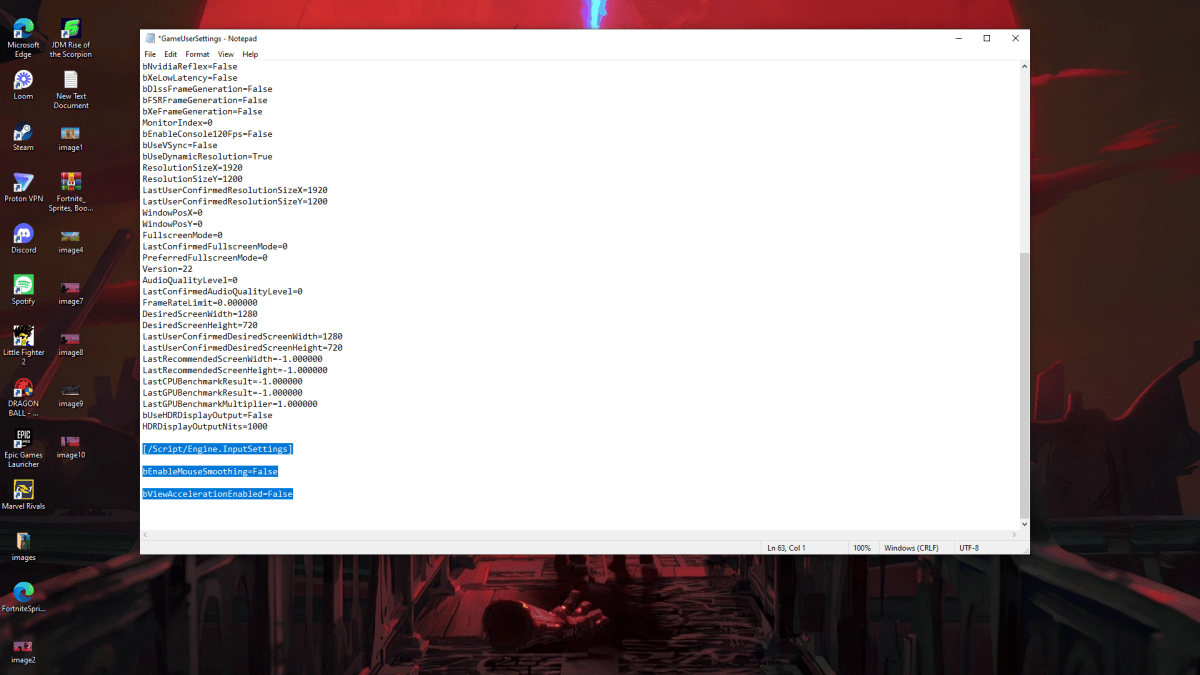
Because the game lacks an in-game toggle, you'll need to edit a configuration file. It's easy! Follow these steps:
- Press Windows key + R, type
%localappdata%, and press Enter. - Locate the "Marvel" folder, then navigate to "MarvelSavedConfigWindows".
- Open "GameUserSettings.ini" using Notepad (or your preferred text editor).
- Add the following lines to the end of the file:
[/Script/Engine.InputSettings]
bEnableMouseSmoothing=False
bViewAccelerationEnabled=False- Save (Ctrl + S) and close the file.
- Right-click "GameUserSettings.ini", select "Properties", check "Read-only", and click "Apply" and "OK".
You've successfully disabled mouse acceleration in-game. Your aim should feel significantly improved.
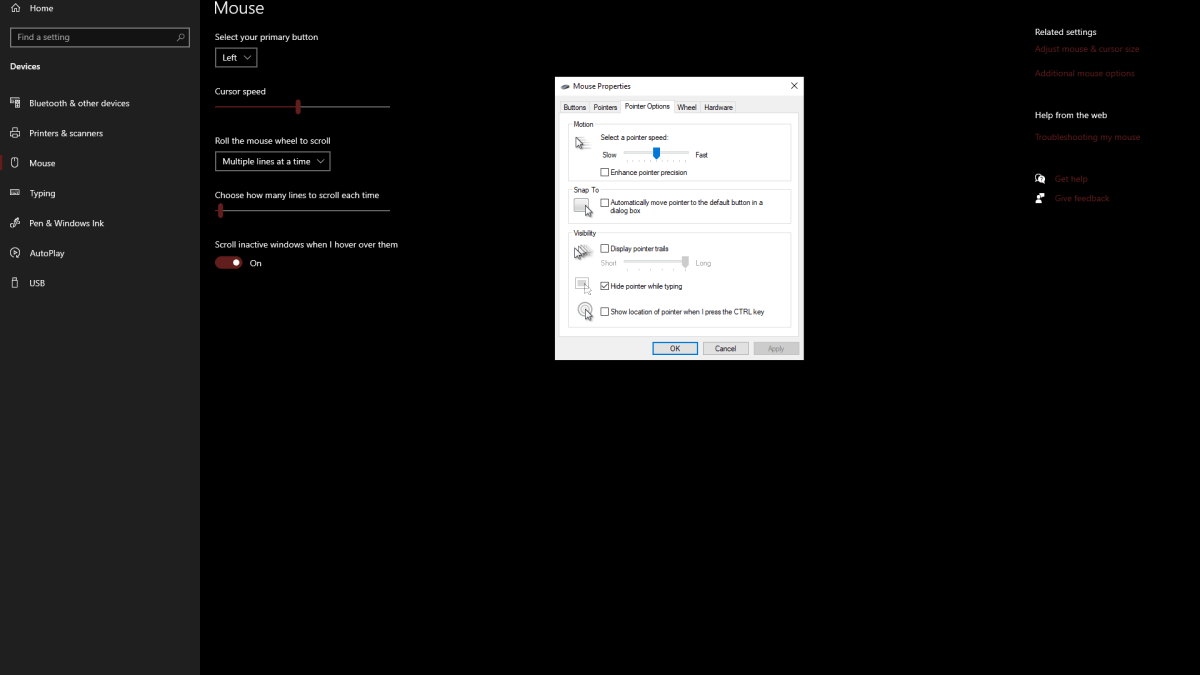
Remember to also disable mouse acceleration in Windows settings:
- Search for "Mouse" in the Windows search bar.
- Click "Mouse settings".
- Click "Additional mouse options" in the top right corner.
- Go to the "Pointer Options" tab.
- Uncheck "Enhance pointer precision".
- Click "Apply" and "OK".
Now mouse acceleration is disabled both in Marvel Rivals and Windows.
Related: Troubleshooting Marvel Rivals Issues
Understanding Mouse Acceleration and Why It's Detrimental
Mouse acceleration adjusts your cursor sensitivity based on your mouse movement speed. Fast movements result in high sensitivity, slow movements in low sensitivity. While convenient for general use, this is detrimental in shooters like Marvel Rivals.
Consistent sensitivity is crucial for building muscle memory and improving aim. Mouse acceleration prevents this by constantly altering your sensitivity.
With mouse acceleration disabled, you'll experience linear sensitivity, leading to better aim and overall gameplay in Marvel Rivals.
Marvel Rivals is available now on PS5, PC, and Xbox Series X|S.
 Latest Articles









 Latest Games